Now Available on Android
Turn your phone into a powerful DJ sampler pad.
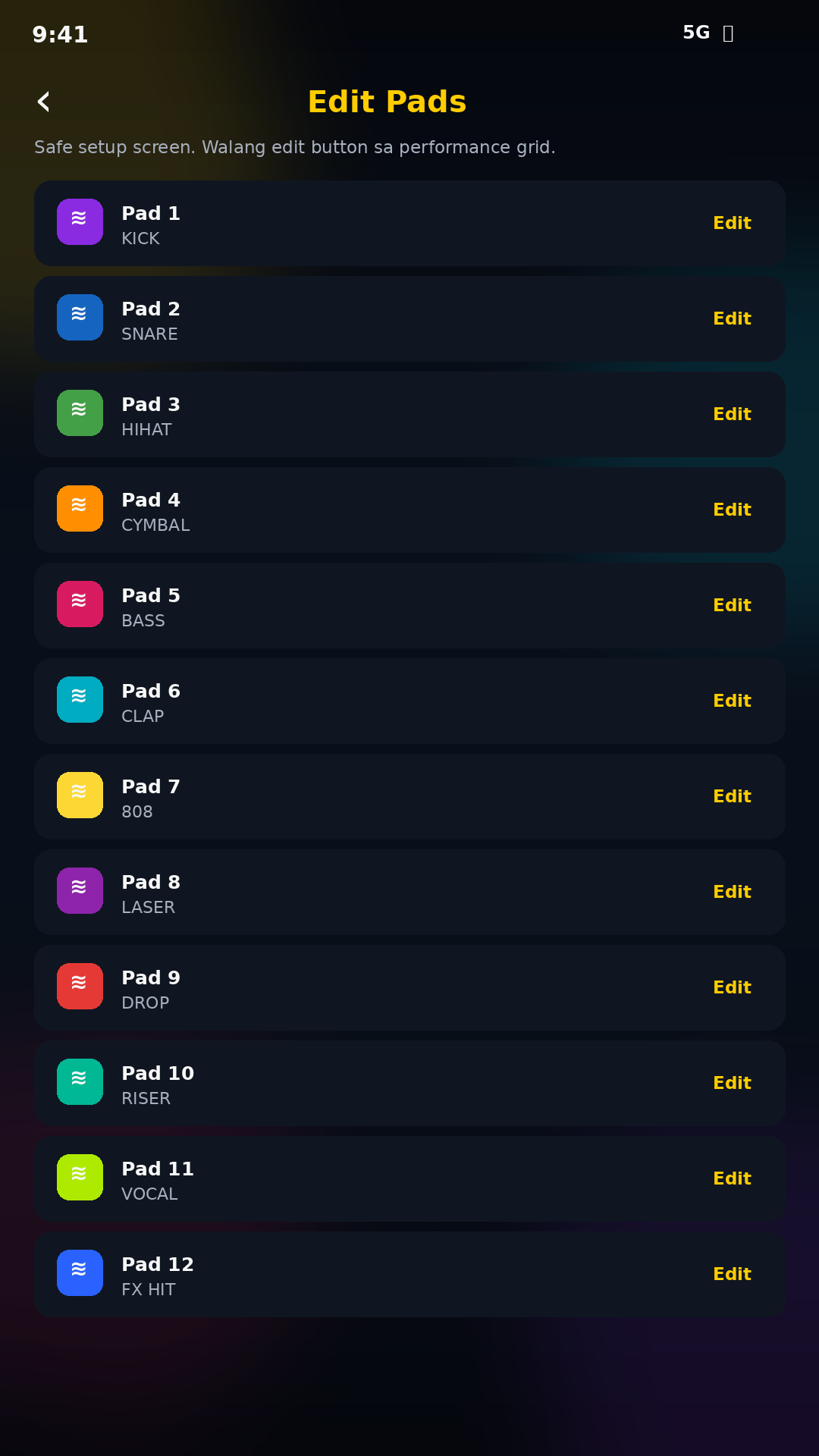
Load beats, drops, effects, vocals, risers, and custom sounds. Perform live using colorful pads, bank switching, edit pad controls, waveform selection, One Shot, and Trigger mode.
16 Color Pads
Bank 1–4
Waveform Editor
One Shot / Trigger
Download on Google Play
Get the official Quack Quack DJ Sampler app securely from Google Play.
.png)
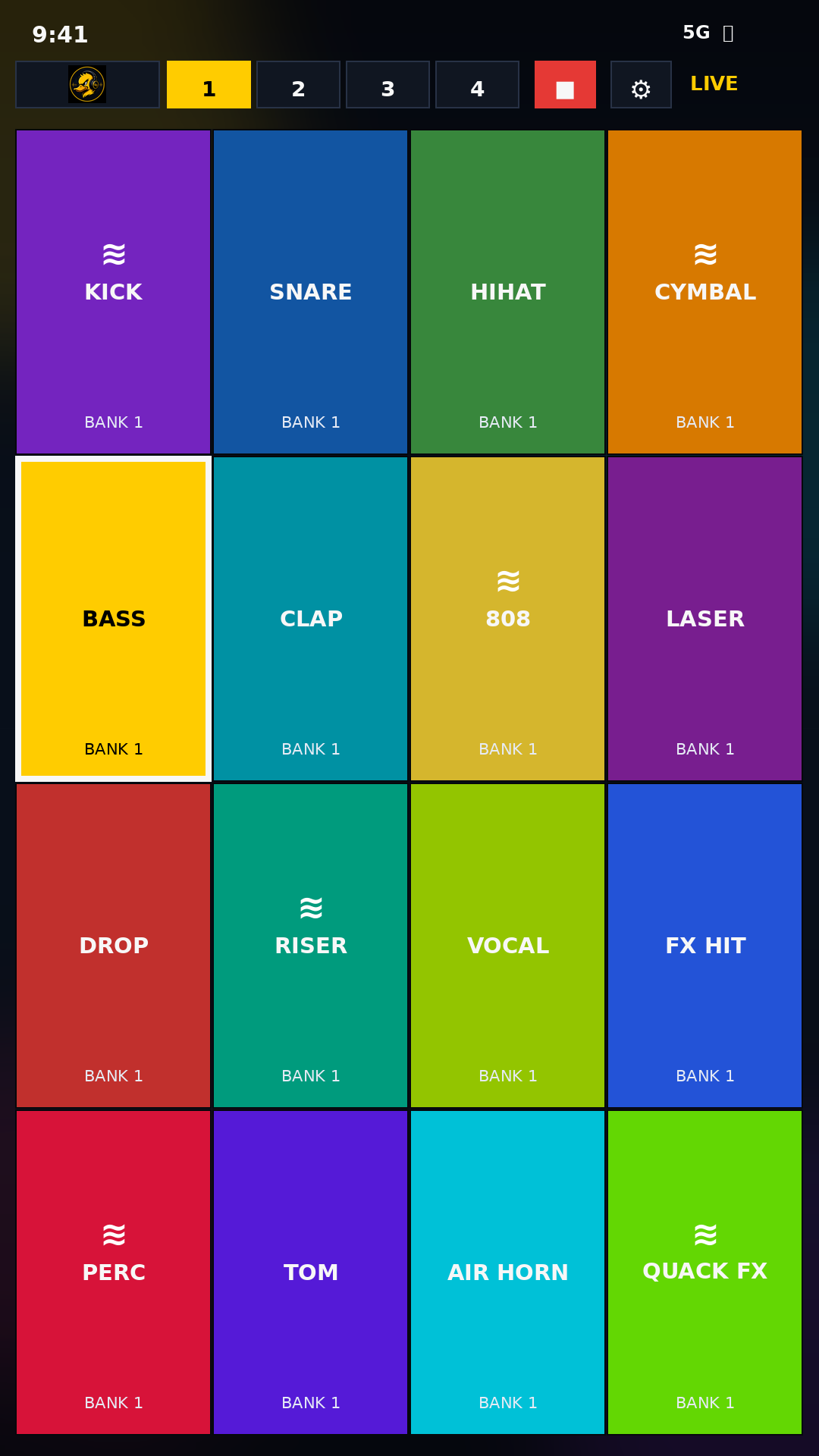
Built for live performance
Real app UI, real DJ workflow
Dark neon design with colorful sampler pads and fast controls for mobile DJs, remixers, performers, and sound creators.
🎧 Performance Pads
Trigger KICK, SNARE, HIHAT, CYMBAL, DROP, RISER, VOCAL, FX HIT, and more.
🏦 Multiple Banks
Switch between banks so you can organize beats, drops, vocals, and effects.
〰️ Waveform Editing
Select the exact audio section you want and keep only the selected part.
⚡ Play Modes
Use One Shot or Trigger mode depending on your live performance style.
App screenshots
Actual Quack Quack UI
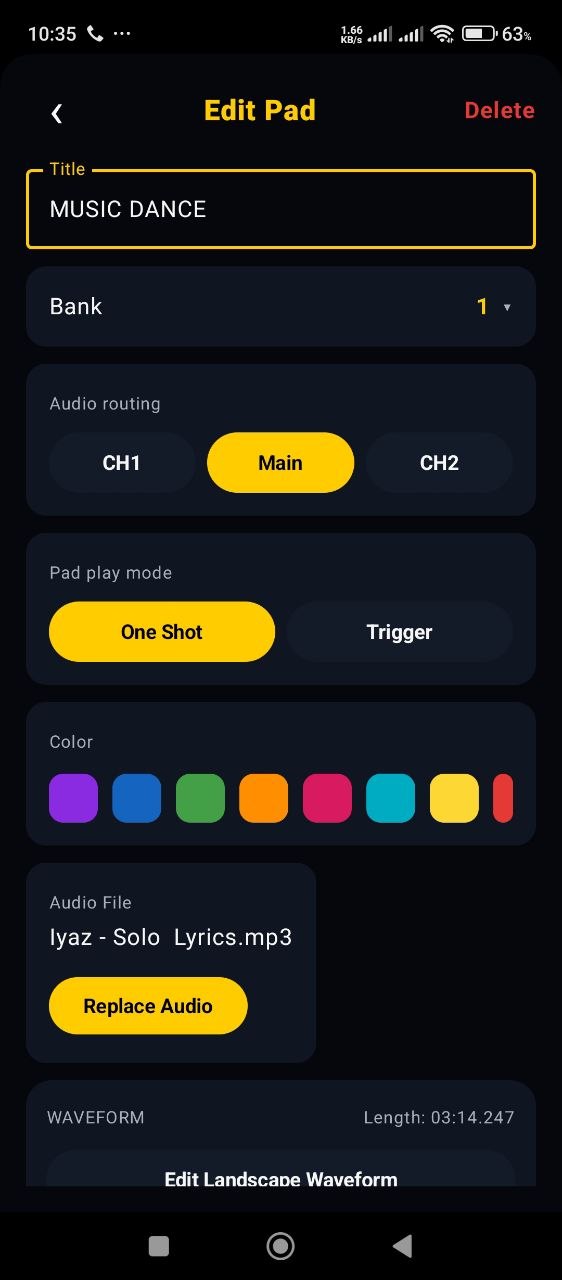
Edit Pad Settings
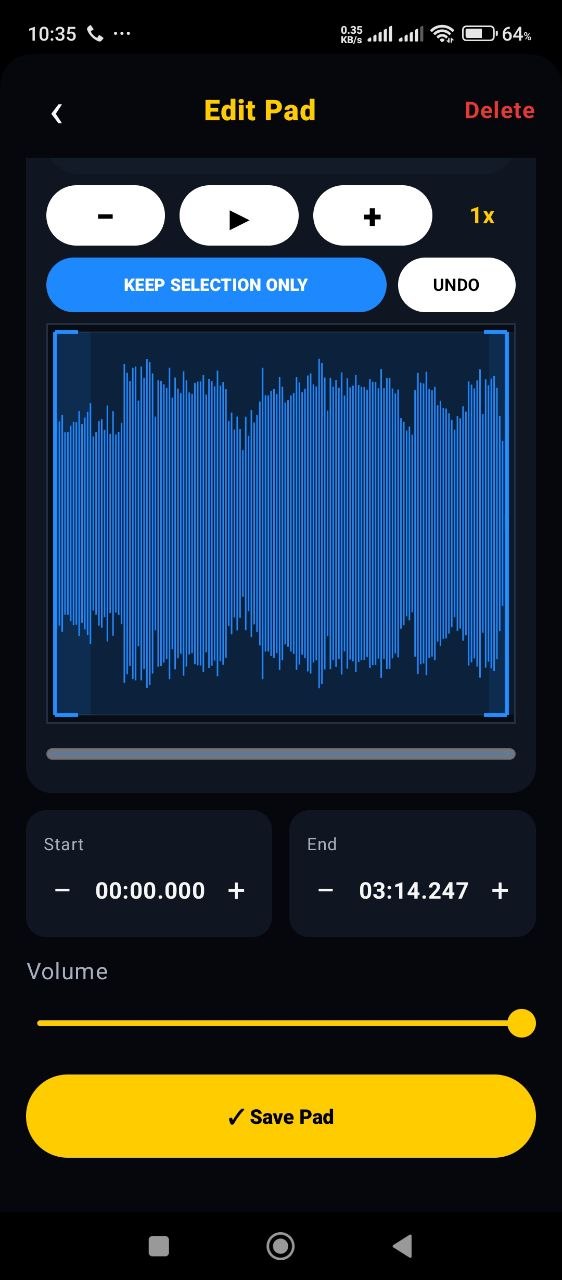
Waveform Editor
Google Play Install Guide
Paano i-install sa Android?
Available na ang official Quack Quack DJ Sampler app sa Google Play Store.
1. Open Google Play
Pindutin ang Get it on Google Play button sa taas.
2. Tap Install
Sa Google Play page ng Quack Quack DJ Sampler, pindutin ang Install.
3. Wait for installation
Hintaying matapos ang secure download at automatic installation mula sa Google Play.
4. Open the app
Pindutin ang Open at simulan nang gamitin ang iyong DJ sampler pads.
Ready to perform from your Android phone?
Install Quack Quack DJ Sampler from Google Play and start building your own pads.
Get it on Google Play